Grab Referrals Case Study
Introduction
Reimagining Grab Referrals Program to allow users refer Grab products and services to their friends and family and earn rewards
My Role
Lead Product Designer
O
Users are not incentivised to refer Grab to their friends, even if they might be interested to sign up for Grab or try new services.
On the other hand , Customer Acquisition Cost (CAC) for Grab has always been significantly high and referrals can potentially help Grab to optimise spend on new user acquisitions.

Research and Observation
Grab is one of the most popular apps in South East Asia, so the team did an investigation on the opportunity.
We have found out that Grab has the highest install base among on-demand apps, though growth has stagnated.
We asked ourselves a question - Have we exhausted out App Install TAM
We have found out that Grab has the highest install base among on-demand apps, though growth has stagnated.
We asked ourselves a question - Have we exhausted out App Install TAM
Research Survey Key takeaways
During Survey key takeaways
1
2
3
4
During Survey key takeaways
1
2
3
4
What does success look like?
Designing Solutions
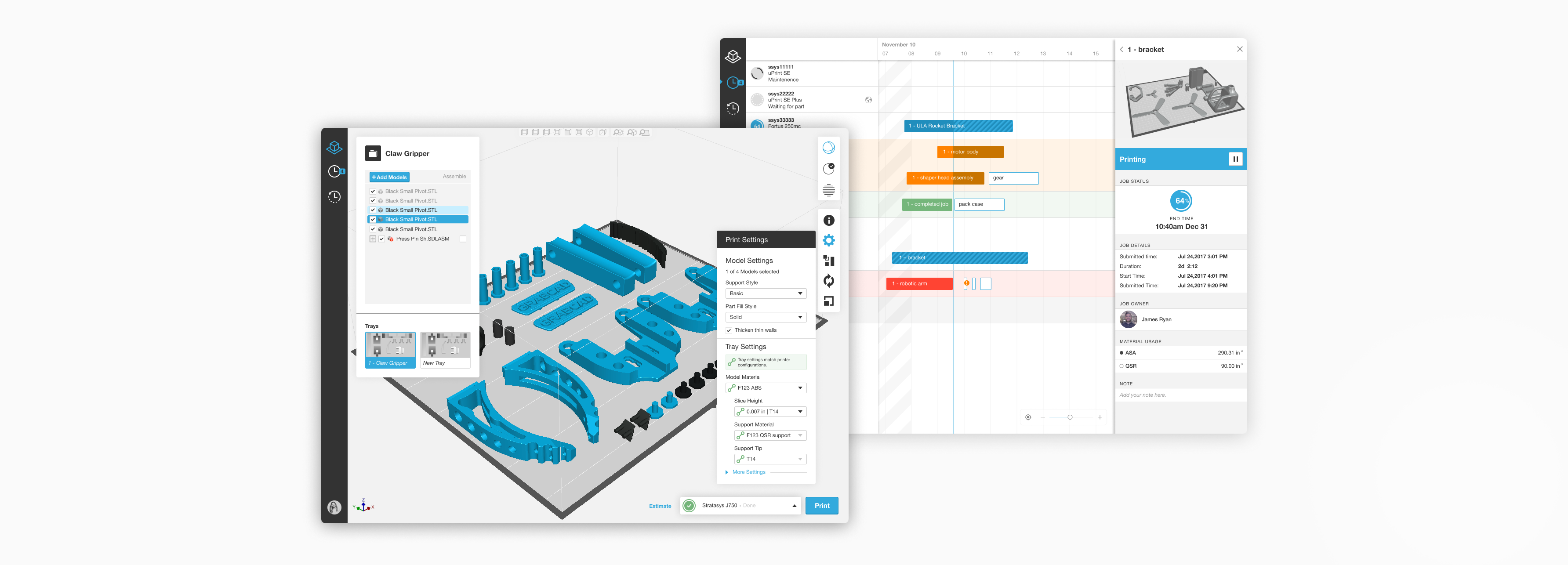
Here are a few examples of the features that I worked on for GrabCAD Print.
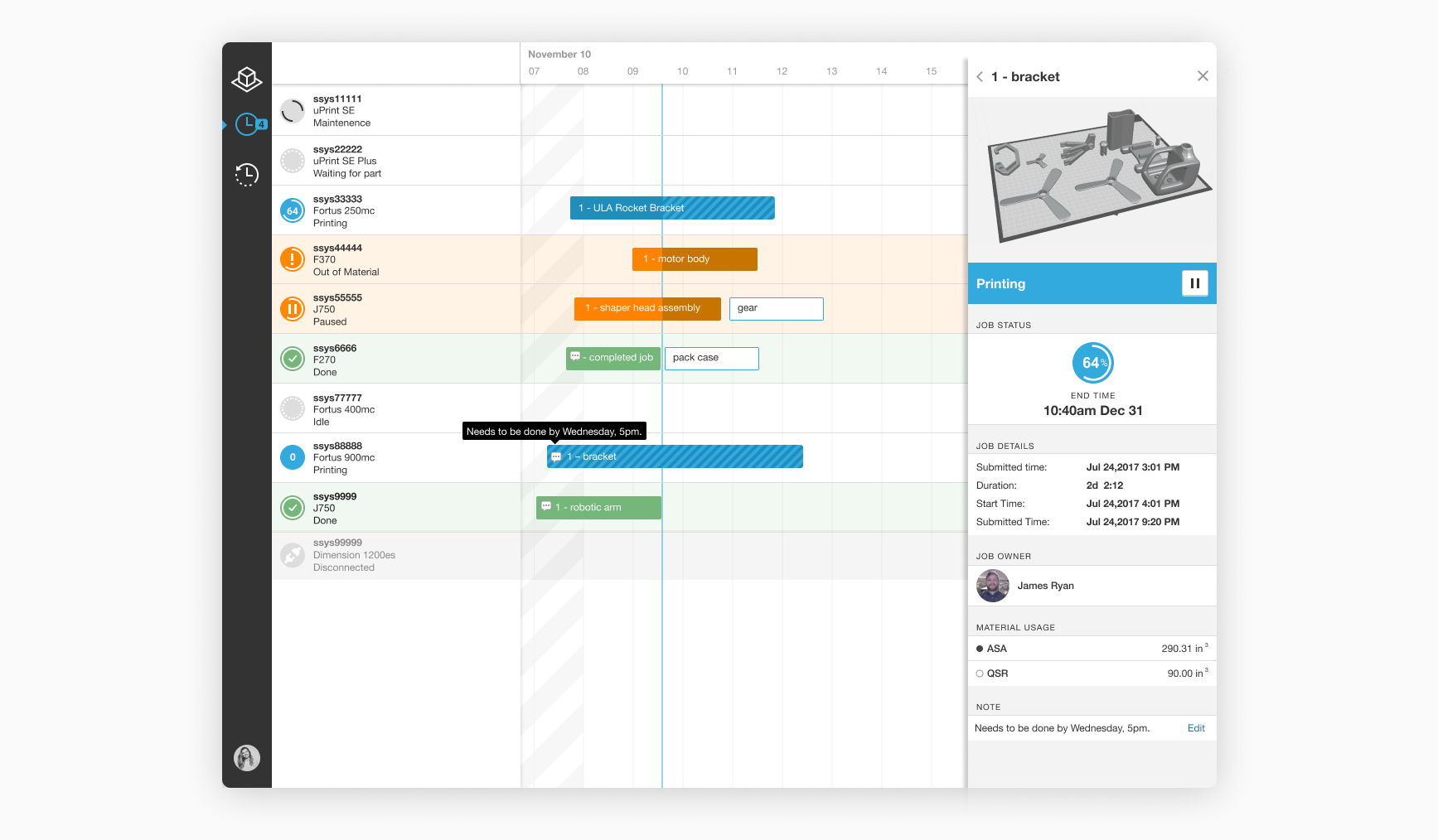
Print Job Comments in the Schedule view
Problem: As a printer operator I need to communicate to other users that a job is urgent or that I will need to use red material for this job.
Solution: Comments can be added to any job in the Schedule view to indicate if a job is urgent, or if the printer operator needs to use a certain material for this job.
Why: Schedule view is the best place for this feature since all the jobs and printers are visible here. A printer operator will be able to easily hover over the comments icon and read the comment. After I designed this workflow, I called 5 users, tested the design with them and got great positive feedback.
Clickable prototype is here.
Print Job Comments in the Schedule view
Problem: As a printer operator I need to communicate to other users that a job is urgent or that I will need to use red material for this job.
Solution: Comments can be added to any job in the Schedule view to indicate if a job is urgent, or if the printer operator needs to use a certain material for this job.
Why: Schedule view is the best place for this feature since all the jobs and printers are visible here. A printer operator will be able to easily hover over the comments icon and read the comment. After I designed this workflow, I called 5 users, tested the design with them and got great positive feedback.
Clickable prototype is here.
Scheduling a Delayed Print Job Start
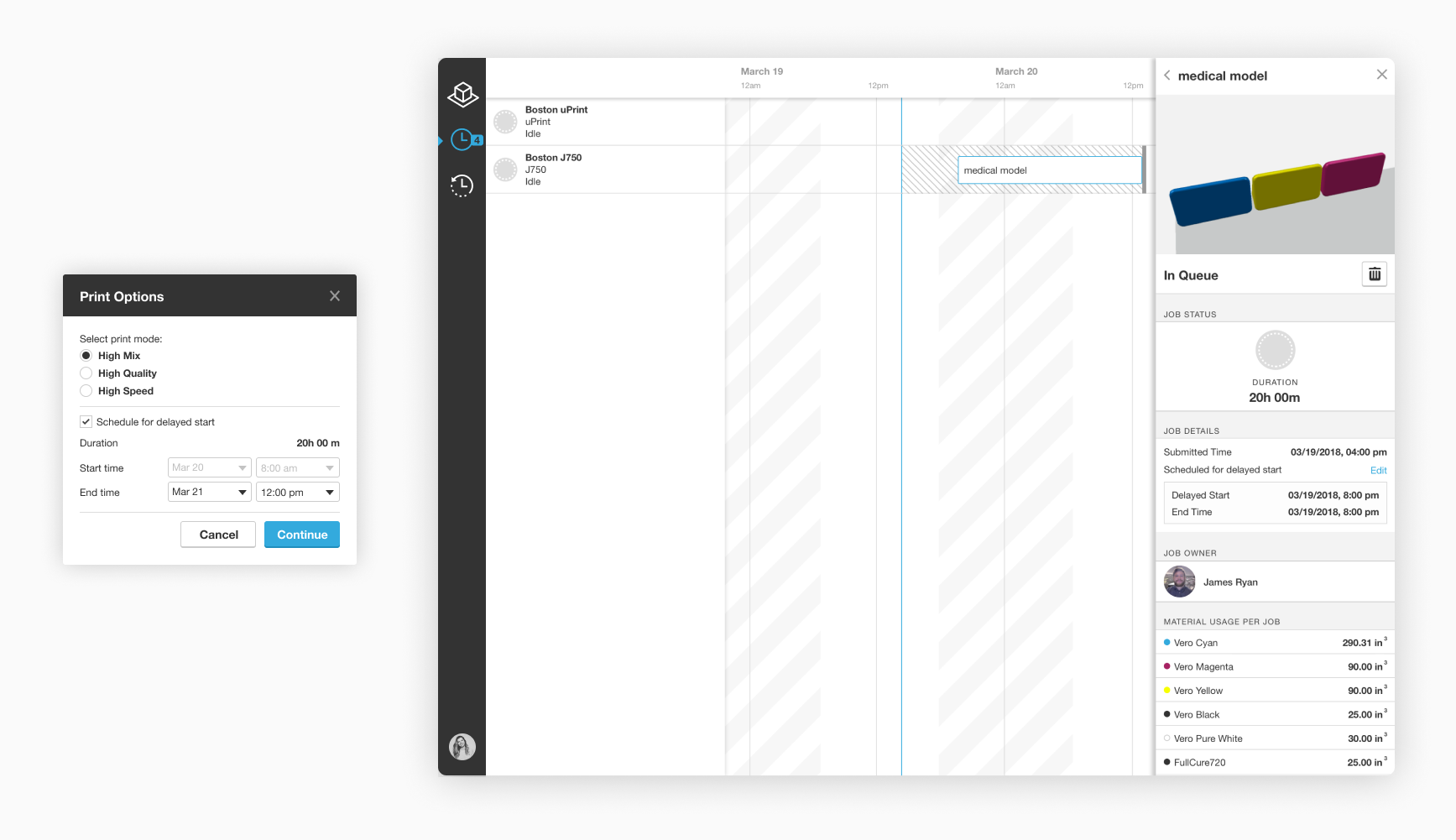
Problem: One of the most powerful Stratasys full color 3D printers J750 has a limitation, it has to be cleaned right after the job is done, otherwise the heads of the printer will get ruined. Maybe of our customers have to find looks to avoid this problem, some of them come to their offices at 2 am to clean the heads, or hire an intern to do it.
Solution: Scheduling the jobs to start at a specific time( and end at a specific time) will let the users make sure the job ends when they are in the office.
Why: The solution is allowing the user to schedule the job for the delayed start as their last step of the workflow before the job gets queued. The user can also edit the time in the schedule view, because Printer Panel on the right is what the printer operator uses the most often, so it will be very convenient for him/her to edit the time there.
Clickable prototype is here.
Materials Remaining Redesign for the Printer Panel
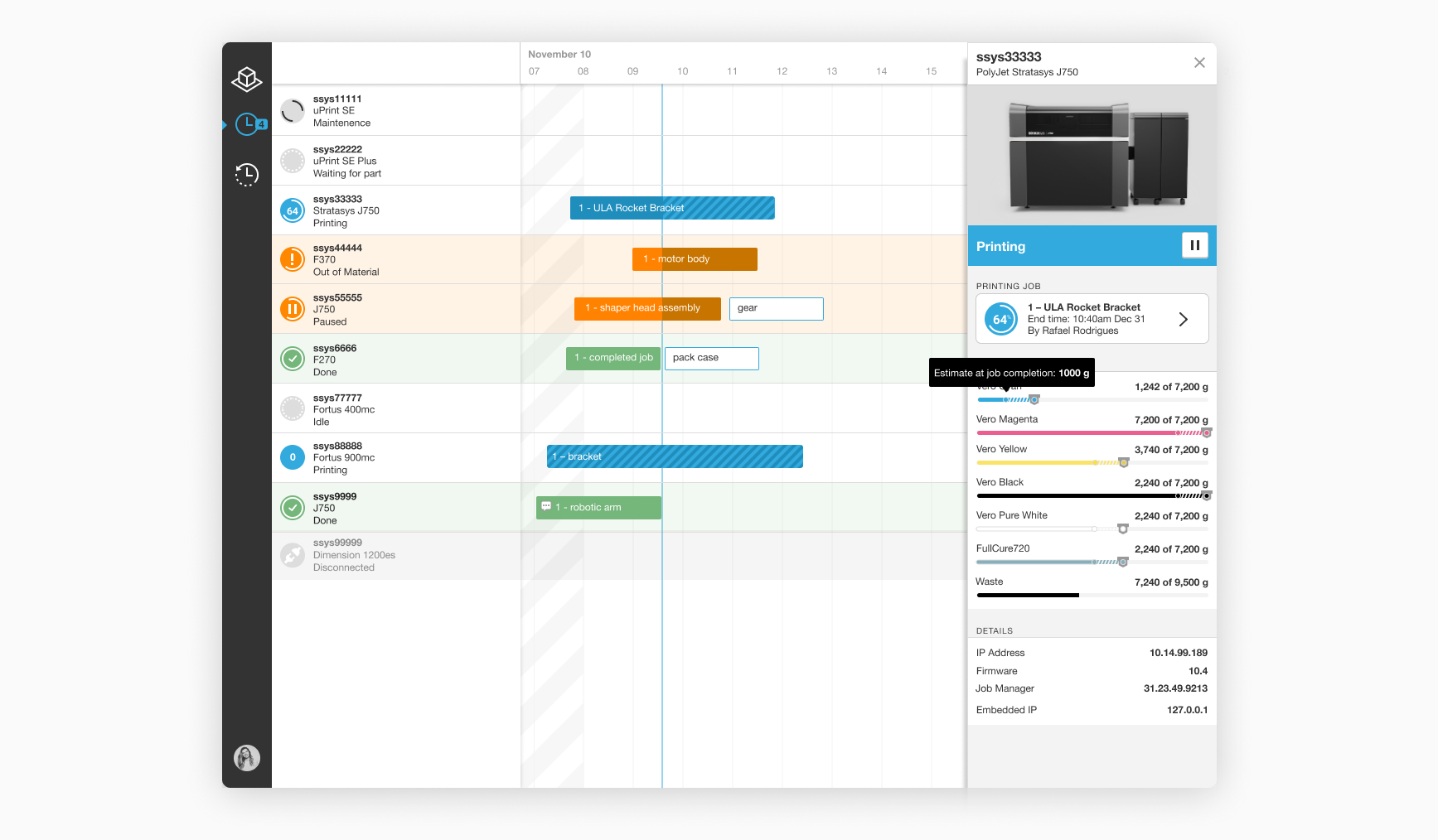
Problem: A printer operator needs to understand how much material left on the printer to know which printer to queue the job to. Printer operator also needs to know how much material will be left on the printer after the job is completed, if s/he needs to schedule another job.
Solution: The printer panel in the schedule view shows the current material level and the material level at the end of the job on hover.
Why: Before the redesign, the panel only showed the current material on the printer, and for color printers it already take a lot of space. I wanted to integrate the solution into the existing visual UI that our users are used to and used the diagonal lines to indicate the job.
A fun comment we received from a happy user:
"The area in the lower right of the GrabCAD Print queue is wonderful. I'm referencing the area which shows you the used vs total material for the selected part and the used vs total material on the loaded spool. That's such a great feature for scheduling. (Buy that person lunch! No alcoholic drinks though, we're at work.)"
The Outcome
Over the last 2 years since the app was launched, our user base grew from 100 to over 10,000 users. All over the world, companies like Nike, Ford, Tesla, Boeing and Disney are using GrabCAD Print to print parts daily. We get amazing reviews and we keep implementing more features and releasing updates monthly.
However, GrabCAD Print is still missing more advanced features that are required for very professional 3d printing preparation. During my second year on the job, I was the lead designer on the project that is now released as Advanced FDM mode in GrabCAD Print and it supports more professional and advanced features for FDM 3D printing. Check out the case study on it here.
However, GrabCAD Print is still missing more advanced features that are required for very professional 3d printing preparation. During my second year on the job, I was the lead designer on the project that is now released as Advanced FDM mode in GrabCAD Print and it supports more professional and advanced features for FDM 3D printing. Check out the case study on it here.